
Average Calculator
Separate your numbers with commas or spaces.
Example: 10, 20, 30, 40
Please enter valid numbers!
Average (Mean)
0.00
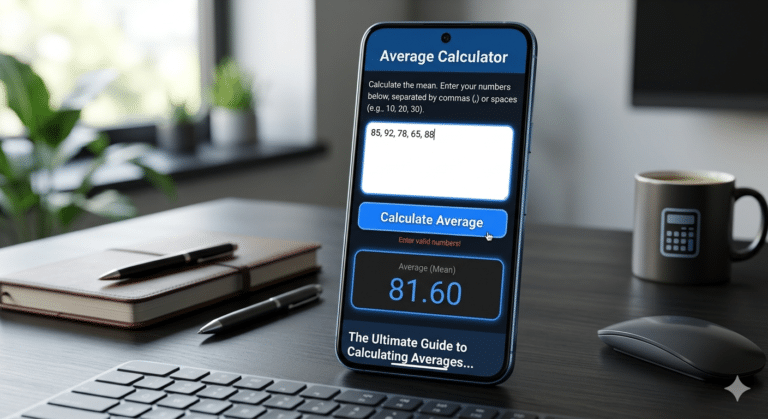
The Ultimate Guide to Calculating Averages: Tools, Formulas, and Tips
In the world of data, whether you are a student, a business analyst, or a fitness enthusiast tracking your daily progress, numbers are everywhere. One of the most fundamental tools we use to make sense of these numbers is the average. While it seems simple, understanding how to calculate it correctly and using an efficient average calculator can save you hours of manual work and prevent costly errors.
In this comprehensive guide, we will explore the math behind averages, the different types of means, and how you can use our modern online average tool to get instant results.
1. What is an average? (The Basics)
At its core, an average (specifically the arithmetic mean) is a single value that represents a set of data. It is the “middle point” where all numbers in a collection are balanced.
Why Is It Important?
Averages help us see the “big picture.” For example:
Education: Calculating your grade point average (GPA).
Finance: Finding the average monthly expense to create a budget.
Sports: Determining a player’s average score per game.
Business: Analyzing average sales per customer.
2. How to Calculate Average Manually
Before using an average calculator, it is essential to understand the manual formula. The process involves two simple steps:
Summation: Add all the numbers in your data set together.
Division: Divide that total sum by the count of numbers in the set.
The Mathematical Formula:
Where:
$\sum x_i$ is the sum of all values.
$n$ is the total number of values.
Example:
If you want to find the average of 10, 20, and 60:
Sum: $10 + 20 + 60 = 90$
Count: There are 3 numbers.
Average: $90 / 3 = 30$.
3. Different Types of Averages You Should Know
While most people mean the “Arithmetic Mean” when they say “average,” there are actually three main types of centers in statistics:
A. Mean (Arithmetic Average)
This is what our tool calculates. It is the sum divided by the count. It is best used for data that is distributed fairly evenly.
B. Median
The median is the middle number in a list when it is sorted from smallest to largest. If you have an even number of values, it’s the average of the two middle numbers. The median is often better than the mean if your data has “outliers” (extremely high or low numbers that skew the result).
C. Mode
The mode is the number that appears most frequently in a data set. This is useful for categorical data, like finding the most popular shoe size sold in a store.
4. Why Use Our Modern Average Calculator?
Manual calculation is fine for three or four numbers. But what if you have 50? Or what if your numbers have decimals like 98.67 and 112.45?
Our Custom Average Calculator was designed with three goals in mind:
Speed: Get results in milliseconds.
Flexibility: You can paste numbers separated by commas, spaces, or even new lines.
Design: A clean, dark-themed UI that doesn’t strain your eyes.
Key Features of Our Tool:
Responsive Design: Works perfectly on mobile, tablet, and desktop.
Error Protection: If you accidentally type a letter instead of a number, the tool intelligently ignores it or warns you, ensuring your data remains accurate.
High Precision: Unlike basic calculators, we provide results up to two decimal places for maximum accuracy.
5. Step-by-Step Guide: How to Use the Calculator
Using the tool we provided is incredibly simple. Follow these steps:
Gather your data: Have your list of numbers ready.
Input: Paste or type them into the text area. You don’t have to worry about perfect formatting—just separate them with a comma or a space.
Click Calculate: Hit the blue button.
Analyze: The result appears instantly in the black result box below.
6. Common Use Cases for Averages
Data Science and Analytics
Data analysts use averages to find trends. If a website’s average visitor duration increases from 2 minutes to 4 minutes, it indicates that the content is becoming more engaging.
Real Estate
When buying a home, people look at the average price per square foot in a neighborhood. This helps determine if a specific house is overpriced or a bargain.
Health and Fitness
Athletes track their average heart rate during workouts or their average calorie intake over a week to ensure they are meeting their fitness goals.
7. The Problem with “Outliers”
An outlier is a number that is much higher or much lower than the rest of the group.
Imagine this: Five people are in a room, and they all earn $50,000 a year. The average is $50,000.
Now, a billionaire walks in who earns $100 million.
The average income of the room will suddenly jump to over $16 million! Does that mean everyone in the room is rich? No. This is why it is important to look at your data before calculating the average. If you have extreme outliers, the median might be a more honest representation of the data.
8. Frequently Asked Questions (FAQs)
Q: Can I calculate the average of negative numbers?
A: Yes! Our calculator handles negative values perfectly. Just include the minus sign (e.g., -10, 20, -5).
Q: How many numbers can I enter?
A: Our script is optimized to handle hundreds of entries at once without slowing down your browser.
Q: What is the difference between mean and average?
A: In casual conversation, they are the same thing. In mathematics, “average” is an umbrella term that includes mean, median, and mode, but usually, it refers to the mean.